


Ransomware has become one of the most damaging cybersecurity threats facing businesses today. No longer limited to large enterprises, ransomware attacks now target organizations of every size -from startups and healthcare providers to financial institutions, manufacturers, retailers, and government agencies.
Modern ransomware doesn’t just encrypt files. It can steal sensitive business information, disrupt operations, compromise backups, and demand substantial ransom payments before restoring access. Even businesses with advanced cybersecurity measures remain vulnerable if they lack a reliable storage and backup strategy.
The financial consequences of a ransomware attack extend far beyond the ransom itself. Organizations often face prolonged downtime, lost productivity, reputational damage, regulatory penalties, and significant recovery costs. For many businesses, the inability to restore critical systems quickly can result in lasting operational and financial setbacks.
This is why a comprehensive Storage and Backup Strategy has become an essential component of every organization’s cybersecurity and business continuity plan.
A well-designed backup strategy ensures that business-critical data remains protected, recoverable, and available even when primary systems are compromised. Combined with secure storage infrastructure, disaster recovery planning, and continuous monitoring, it enables organizations to recover quickly while minimizing disruption.
In this article, we’ll explore why storage and backup strategies are more important than ever in the age of ransomware, the risks of relying on outdated backup methods, and how businesses can build a resilient data protection framework.
Understanding Modern Ransomware
Ransomware has evolved significantly over the past few years. Earlier attacks focused primarily on encrypting files and demanding payment for decryption keys.

Today’s attackers use far more sophisticated techniques.
Modern ransomware campaigns often include:
- Data encryption
- Data theft
- Backup deletion
- Credential theft
- Network-wide attacks
- Multi-stage malware deployment
- Double extortion
- Triple extortion
Instead of targeting a single computer, attackers attempt to compromise the entire IT environment, including servers, cloud platforms, virtual machines, employee devices, and even backup repositories.
This makes traditional backup approaches insufficient for protecting modern businesses.
Organizations need storage architectures that prioritize resilience, redundancy, security, and rapid recovery.
Why Storage & Backup Strategy Is No Longer Optional
Many organizations still treat backups as a routine IT activity.
In reality, backup strategies now play a central role in business continuity, cybersecurity, regulatory compliance, and disaster recovery.
A modern Storage & Backup Strategy should protect:
- Customer information
- Financial records
- Enterprise applications
- Virtual machines
- Databases
- Email systems
- Cloud workloads
- Business documents
- Intellectual property
Without reliable backups, even a single ransomware attack can halt business operations for days-or even weeks.
1. Ransomware Is Targeting Backup Systems
One of the biggest misconceptions is that having backups automatically guarantees recovery.
Modern ransomware groups specifically search for backup servers before encrypting production systems.
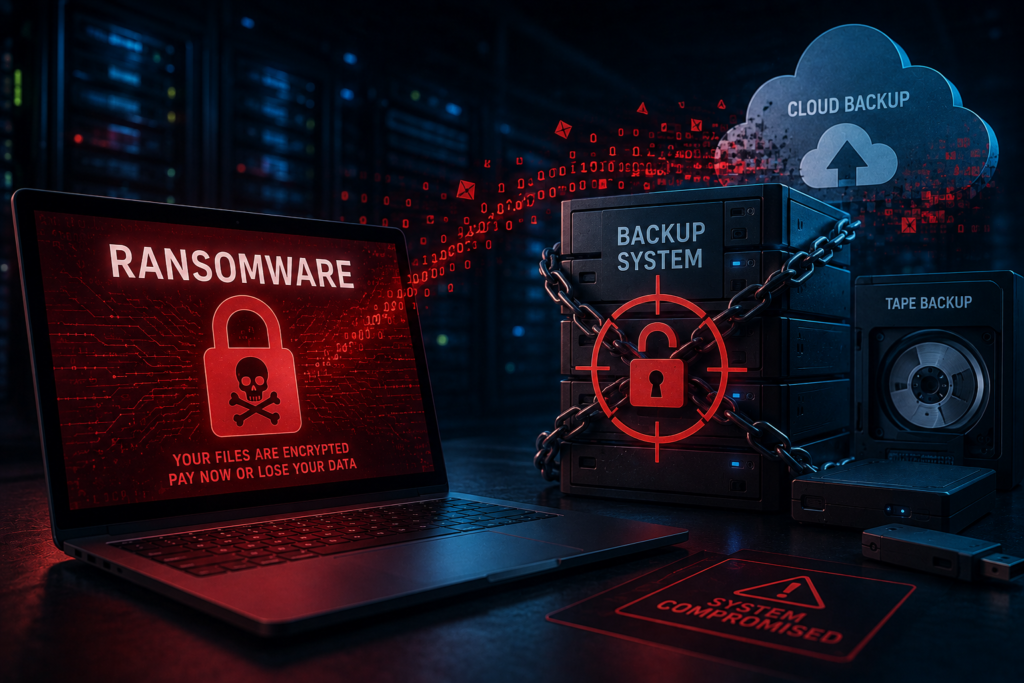
Attackers attempt to:
- Delete backup files
- Encrypt backup repositories
- Disable backup software
- Compromise administrator accounts
- Remove recovery snapshots
If backups are connected to the same network as production systems, they may also become infected.
A secure backup strategy should include:
- Immutable backups
- Offline backups
- Air-gapped storage
- Multi-factor authentication
- Backup encryption
- Access controls
Protecting backup infrastructure is just as important as protecting production environments.
2. Downtime Costs More Than Data Loss
The biggest financial impact of ransomware is often business downtime rather than the ransom payment itself.
When critical applications become unavailable, organizations may experience:
- Interrupted customer services
- Delayed business operations
- Missed revenue opportunities
- Supply chain disruptions
- Reduced employee productivity
- Contractual penalties
Every hour of downtime can significantly affect profitability and customer trust.
A well-planned Storage & Backup Strategy enables businesses to restore systems quickly, reducing operational disruptions and accelerating recovery.
3. Cloud Adoption Requires Smarter Backup Planning
Many businesses assume that moving applications to the cloud automatically protects their data.
While cloud platforms provide highly available infrastructure, customers remain responsible for protecting their own business data under the Shared Responsibility Model.
Organizations should implement backup strategies that include:
- Cloud-native backups
- Cross-region replication
- Version history
- Automated backup schedules
- Secure backup encryption
- Disaster recovery planning
Businesses planning cloud modernization should also explore our Cloud Migration Services, which help organizations migrate workloads securely while building resilient cloud environments.
4. Regulatory Compliance Requires Reliable Data Protection
Many industries must comply with regulations governing data protection, privacy, and business continuity.
Examples include:
- Healthcare
- Banking
- Insurance
- Government
- Retail
- Manufacturing
Compliance standards often require organizations to:
- Retain business records
- Secure customer information
- Maintain audit trails
- Protect sensitive data
- Ensure recoverability
An effective backup strategy helps organizations meet these requirements while reducing compliance risks.
Regular testing, encryption, and documented recovery procedures demonstrate that critical business information can be restored when needed.
5. Business Continuity Depends on Fast Recovery
A backup is valuable only if it can be restored quickly.
Many organizations discover weaknesses in their backup systems only after a cyberattack or infrastructure failure.
Common recovery challenges include:
- Corrupted backups
- Incomplete recovery points
- Slow restoration speeds
- Missing application dependencies
- Outdated recovery procedures
Modern backup strategies prioritize both Recovery Point Objectives (RPO) and Recovery Time Objectives (RTO) to ensure organizations can resume operations with minimal disruption.
Proactive testing and regular validation help confirm that backups remain usable during real-world incidents.
The 3-2-1 Backup Rule: A Proven Strategy
One of the most effective ways to protect business data from ransomware is by following the 3-2-1 Backup Rule. This industry-recognized approach minimizes the risk of data loss by ensuring multiple copies of critical information are stored in different locations.
The strategy includes:
- 3 Copies of Data: Maintain the original data and at least two backup copies.
- 2 Different Storage Media: Store backups on different types of media, such as cloud storage and local storage.
- 1 Offsite Copy: Keep at least one backup in a secure offsite or cloud location to protect against physical disasters and ransomware attacks.
This layered approach improves resilience and ensures organizations can recover quickly, even if one backup location is compromised.
Why Immutable Backups Are Becoming Essential
Traditional backups are no longer enough against sophisticated ransomware attacks. Modern attackers specifically target backup repositories before encrypting production systems.
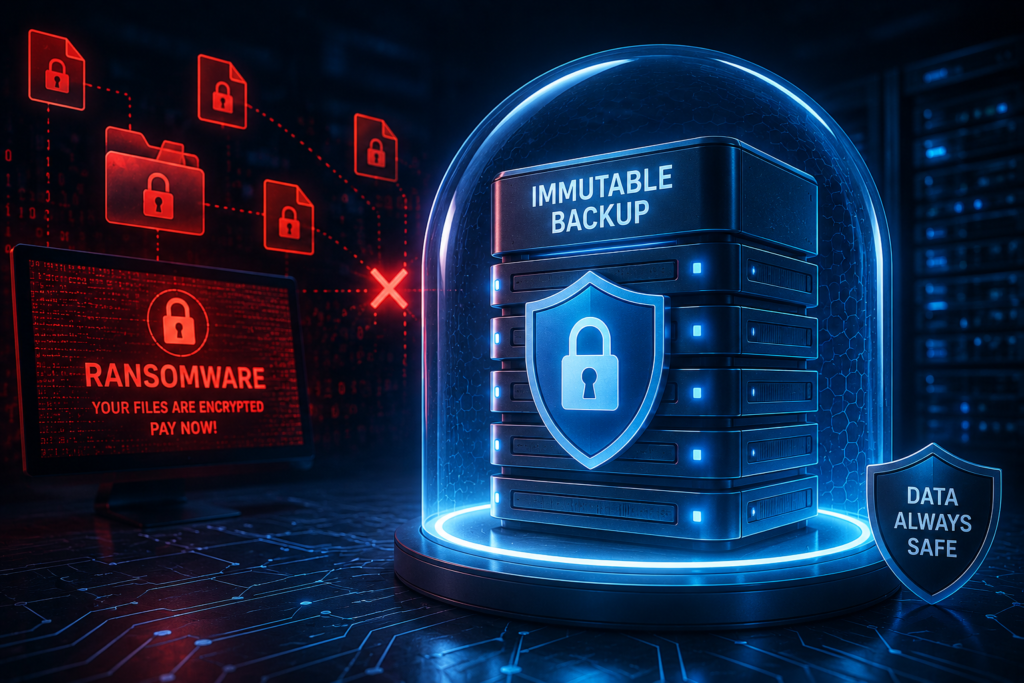
Immutable backups provide an additional layer of protection by preventing backup data from being modified, deleted, or encrypted for a predefined period.
Benefits of Immutable Storage
- Prevents backup tampering
- Protects against ransomware encryption
- Supports regulatory compliance
- Ensures reliable disaster recovery
- Improves recovery confidence
Combined with offline or air-gapped backups, immutable storage significantly strengthens an organization’s cyber resilience.
Air-Gapped Backups: Your Last Line of Defense
Air-gapped backups are physically or logically isolated from the primary network.
Since ransomware typically spreads through connected systems, air-gapped backups remain inaccessible to attackers.
Organizations should consider:
- Offline backup repositories
- Removable storage solutions
- Cloud vault storage
- Isolated backup networks
Although maintaining offline backups requires additional planning, they provide one of the strongest defenses against large-scale cyberattacks.
Common Storage & Backup Mistakes Businesses Make
Many organizations believe they have an effective backup strategy until a disaster occurs. Unfortunately, common mistakes can prevent successful recovery.
Relying on a Single Backup Location
Storing backups in only one location increases the risk of losing both production and backup data during a ransomware attack or infrastructure failure.
Never Testing Backup Recovery
A backup is only valuable if it can be restored successfully.
Organizations should regularly perform recovery tests to verify:
- Data integrity
- Recovery speed
- Application functionality
- Disaster recovery procedures
Delaying Security Updates
Outdated backup software and storage infrastructure may contain vulnerabilities that attackers can exploit.
Keeping backup systems updated reduces cybersecurity risks.
Ignoring Cloud Backup Responsibilities
Cloud providers secure the infrastructure, but businesses remain responsible for protecting their own applications and data.
Implementing independent cloud backup solutions strengthens data protection.
No Disaster Recovery Plan
Backups alone cannot ensure business continuity.
Organizations should establish documented disaster recovery procedures that define:
- Recovery priorities
- Team responsibilities
- Communication plans
- Recovery timelines
- System dependencies
Best Practices for Building a Ransomware-Resilient Storage & Backup Strategy
An effective backup strategy requires more than scheduled backups. It should combine technology, processes, and governance to ensure business continuity.
Automate Backup Schedules
Automated backups reduce human error and ensure critical systems are protected consistently.
Encrypt Backup Data
Encryption protects backup files both during transmission and while stored.
Use Multi-Factor Authentication (MFA)
Restrict administrative access to backup environments using MFA and role-based access controls.
Monitor Backup Health
Continuously monitor backup success rates, storage capacity, and system performance to identify issues early.
Regularly Test Recovery Procedures
Schedule periodic disaster recovery exercises to confirm backups can be restored within required Recovery Time Objectives (RTOs).
Keep Multiple Recovery Points
Maintaining multiple recovery versions allows businesses to restore systems to a point before ransomware infections occurred.
Emerging Trends in Enterprise Backup and Recovery
As cyber threats evolve, organizations are adopting modern backup technologies to improve resilience and operational efficiency.
AI-Powered Backup Monitoring
Artificial Intelligence helps detect unusual backup activity, predict storage failures, and automate incident responses.
Cloud-Native Backup Solutions
Cloud-native backups provide scalable, automated protection for cloud workloads while simplifying management.
Backup as a Service (BaaS)
Backup as a Service enables organizations to outsource backup management, monitoring, and recovery to experienced providers.
Zero Trust Security
Zero Trust principles restrict access to backup infrastructure and reduce the risk of unauthorized modifications.
Disaster Recovery as a Service (DRaaS)
DRaaS enables businesses to recover critical systems quickly using cloud-based disaster recovery environments.
How ParamInfo Helps Businesses Build a Secure Storage & Backup Strategy
At ParamInfo, we understand that data is one of an organization’s most valuable assets. Protecting that data requires more than traditional backups-it demands a comprehensive strategy focused on resilience, security, and business continuity.
Our experts help organizations design and manage modern storage and backup solutions that support digital transformation while minimizing operational risks.
Our capabilities include:
- Enterprise Storage Solutions
- Backup & Disaster Recovery
- Cloud Backup Solutions
- Infrastructure Modernization
- Managed IT Services
- Cybersecurity Solutions
- Cloud Migration Services
- Business Continuity Planning
- Infrastructure Monitoring
- Data Protection Consulting
Whether you’re modernizing legacy infrastructure, migrating to the cloud, or strengthening ransomware resilience, ParamInfo helps you implement reliable backup strategies that align with your business objectives.
If you’re planning cloud modernization, explore our Cloud Migration Services to learn how we help organizations build secure and scalable cloud environments.
As ransomware attacks become more sophisticated, organizations can no longer rely on basic backup practices or assume that traditional storage solutions will provide adequate protection. A modern Storage & Backup Strategy is a critical component of cybersecurity, business continuity, and disaster recovery planning.
By adopting best practices such as the 3-2-1 backup rule, immutable storage, air-gapped backups, automated monitoring, and regular recovery testing, businesses can significantly reduce the impact of cyberattacks and ensure faster recovery when incidents occur.
Investing in a resilient backup strategy not only protects valuable business data but also strengthens customer trust, supports regulatory compliance, and minimizes costly downtime. Partnering with an experienced technology provider like ParamInfo enables organizations to implement secure, scalable, and future-ready data protection solutions that keep operations running-even in the face of evolving cyber threats.
Frequently Asked Questions (FAQs)
1. What is a Storage and Backup Strategy?
A Storage and Backup Strategy is a structured approach to storing, protecting, and recovering business data using secure storage systems, backups, and disaster recovery processes.
2. Why is a backup strategy important for ransomware protection?
A reliable backup strategy enables organizations to restore encrypted or deleted data without paying ransom, reducing downtime and business disruption.
3. What is the 3-2-1 Backup Rule?
The 3-2-1 Backup Rule recommends keeping three copies of data, storing them on two different media types, and maintaining one copy offsite.
4. What are immutable backups?
Immutable backups cannot be modified or deleted for a specified period, protecting backup data from ransomware attacks and accidental changes.
5. What is an air-gapped backup?
An air-gapped backup is isolated from the primary network, preventing ransomware from accessing or encrypting backup data.
6. How often should backups be tested?
Organizations should perform backup recovery testing regularly-typically quarterly or after significant infrastructure changes-to ensure data can be restored successfully.
7. Does cloud storage replace backups?
No. Cloud storage improves availability, but organizations should maintain independent backups to protect against accidental deletion, cyberattacks, and corruption.
8. What is Disaster Recovery?
Disaster Recovery (DR) is the process of restoring IT systems, applications, and data after a cyberattack, hardware failure, or natural disaster.
9. What are Recovery Point Objective (RPO) and Recovery Time Objective (RTO)?
RPO defines the maximum acceptable amount of data loss, while RTO measures the maximum acceptable downtime before systems must be restored.
10. How can businesses strengthen ransomware resilience?
Businesses should combine secure backups, immutable storage, multi-factor authentication, endpoint security, employee awareness training, and continuous monitoring.
11. Which industries benefit most from advanced backup strategies?
Healthcare, finance, manufacturing, retail, education, logistics, government, and technology organizations all benefit from resilient backup and disaster recovery solutions.
12. How can ParamInfo help with Storage & Backup Strategy?
ParamInfo provides enterprise storage solutions, backup and disaster recovery services, cloud migration, managed IT services, cybersecurity, and infrastructure modernization to help businesses protect critical data and maintain operational continuity.
