


In any growing business, requests can come from everywhere.
An employee may report an IT issue through email. A customer may raise a complaint over the phone. Another request may arrive through WhatsApp, while an urgent task is mentioned during a meeting.
The problem is not always the number of requests. The real challenge is knowing who owns each request, what action has been taken and whether the issue has actually been resolved.
When requests are managed across multiple communication channels, accountability can quickly become unclear. Tasks may be overlooked, teams may assume someone else is handling the issue and managers may struggle to track performance.
A centralized ticketing system brings all requests into one place, making it easier to assign ownership, track progress and maintain accountability throughout the resolution process.
Here is how a centralized ticketing system can improve accountability across your organization.
1. Every Request Has a Clear Owner
One of the biggest causes of unresolved issues is unclear ownership.

When an employee sends a request to a shared email address or group chat, multiple people may see it. However, that does not necessarily mean anyone is responsible for resolving it.
A centralized ticketing system allows each request to be assigned to a specific person or team.
For every ticket, businesses can clearly see:
- Who raised the request
- Who is responsible for handling it
- Which team owns the ticket
- When the ticket was assigned
- What action has been taken
- Whether the issue is still open or resolved
This creates a clear chain of responsibility.
Instead of asking, “Who is handling this?”, managers can check the ticket and immediately identify the owner.
Clear ownership also reduces the risk of tasks being passed between teams without resolution.
2. Nothing Gets Lost in Emails or Messages
Email inboxes and messaging groups are not designed to manage large volumes of service requests.

Important messages can be buried under new conversations. A team member may be unavailable, forget to respond or assume that another person has already taken action.
A centralized ticketing system creates a structured record for every request.
Each ticket can include:
- A unique ticket number
- Request details
- Priority level
- Assigned owner
- Status updates
- Comments and communication history
- Resolution details
This means the request remains visible until it is closed.
Even if the assigned employee is unavailable, the team can still see the complete history and take appropriate action.
For businesses looking to improve operational workflows, ParamInfo blog on how hyperautomation is powering the future of business transformation explains how structured automation can reduce manual effort and improve process visibility across business operations.
3. Real-Time Status Updates Improve Transparency
Accountability depends on visibility.

Without a centralized system, employees and managers may need to repeatedly follow up through emails or calls to understand the status of a request.
A ticketing system provides a central view of each issue.
Common ticket statuses may include:
- Open
- Assigned
- In Progress
- Pending
- Resolved
- Closed
This allows everyone involved to understand where the request stands.
Employees can check whether their request is being worked on. Managers can identify delayed tickets. Team members can understand what has already been done before taking the next action.
Real-time visibility can reduce unnecessary follow-ups while improving transparency.
This is especially useful for organizations managing IT support, service desk operations, facilities requests, HR queries or customer service requests across multiple teams and locations.
4. Response Times Become Measurable
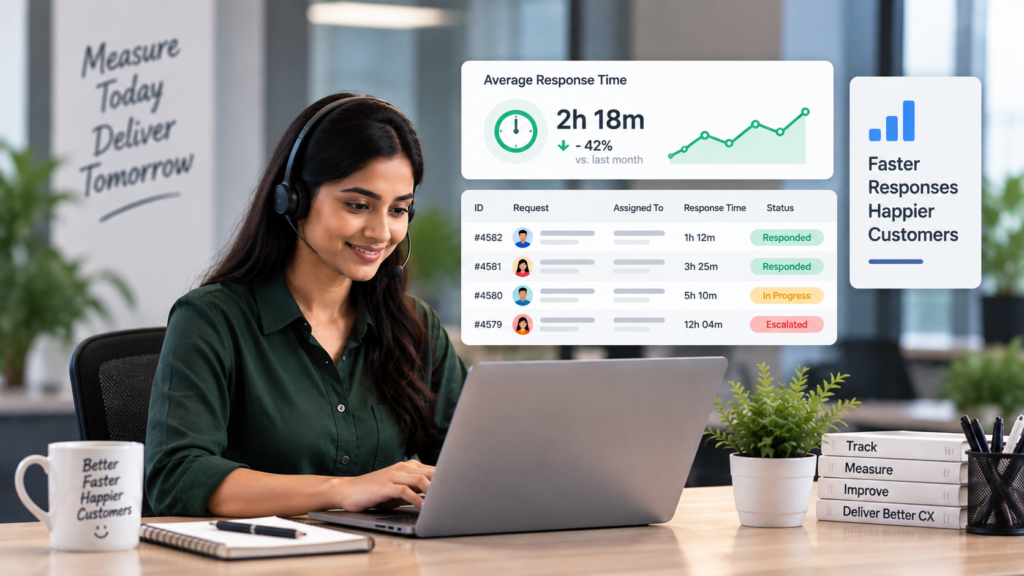
When requests are managed informally, it can be difficult to answer important questions such as:
- How long did it take to respond?
- How long did the issue remain unresolved?
- Which tickets are repeatedly delayed?
- Are service-level targets being met?
A centralized ticketing system records important timestamps automatically.
Businesses can measure:
- First response time
- Resolution time
- Average handling time
- Ticket backlog
- Overdue tickets
- SLA compliance
- Reopened tickets
These metrics make accountability measurable.
Instead of relying on assumptions about team performance, managers can use actual data to identify bottlenecks and improve service delivery.
This is where analytics becomes increasingly valuable. ParamInfo Data Analytics services can help organizations turn operational data into actionable insights that support better decisions and continuous improvement.
5. Escalations Happen Automatically
Some requests require immediate attention. However, manual escalation depends on someone noticing that a ticket has been delayed.
A centralized ticketing system can automate escalation workflows based on predefined rules.
For example:
- A high-priority ticket remains unresolved for a defined period
- A service-level deadline is approaching
- A ticket has not received a response
- An issue is reassigned multiple times
The system can automatically notify the appropriate manager or escalate the ticket to another support level.
This creates stronger accountability because delays are visible and cannot easily be ignored.
Automated workflows also reduce the need for managers to manually monitor every open request.
For businesses working toward more efficient service operations, ParamInfo insights on how enterprises use low-code for digital transformation explore how modern technologies can help organizations build and automate workflows faster.
6. Complete Ticket Histories Create an Audit Trail
Accountability improves when actions are documented.
A centralized ticketing system maintains a history of activities related to each request.
This can include:
- When the ticket was created
- Who it was assigned to
- Status changes
- Internal comments
- Customer or employee communication
- Escalations
- Resolution details
- Closure information
This creates a clear audit trail.
If an issue needs to be reviewed later, businesses can understand what happened and identify where delays occurred.
A complete record can also support knowledge sharing. Teams can review previous tickets to identify recurring issues and improve processes.
For example, if the same technical problem is repeatedly reported, the organization may need to address the root cause rather than resolving individual tickets one by one.
7. Managers Get Better Visibility Into Team Performance
Without a centralized system, managers may rely on individual updates or spreadsheets to understand team workloads.
A ticketing dashboard can provide a clearer view of operations.
Managers can monitor:
- Number of open tickets
- Tickets assigned to each team member
- Priority distribution
- Average resolution time
- SLA performance
- Backlog trends
- Escalated issues
- Recurring request categories
This makes it easier to identify whether a team is overloaded or whether specific processes are causing repeated delays.
Better visibility does not mean using metrics simply to monitor employees. The real value comes from understanding workload, improving processes and providing teams with the resources they need.
A data-driven approach to operations can support better decisions. ParamInfo blog on making digital transformation a top strategic priority discusses how technology, automation and data can help organizations improve efficiency and modernize business operations.
8. Standardized Workflows Create Consistent Accountability
Different people may handle the same type of request in different ways when there is no defined process.
A centralized ticketing system allows businesses to create standard workflows based on the type of request.
For example, an IT support ticket may follow this process:
Request Raised → Ticket Categorized → Assigned → In Progress → Resolved → Closed
A high-priority ticket may automatically follow a different escalation path.
Standardized workflows help ensure that:
- Requests follow the correct process
- Responsibilities are clearly defined
- Important approvals are not skipped
- Escalations happen consistently
- Teams follow the same service standards
This reduces dependence on individual working styles and creates a more reliable service operation.
Integration can make these workflows even more effective. ParamInfo System Integration services focus on connecting business applications and improving the flow of information between systems, helping organizations reduce disconnected processes and manual work.
Centralized Ticketing Creates a Culture of Accountability
Technology alone cannot create accountability. A ticketing system must be supported by clear processes, service expectations and management practices.
However, a centralized system provides the visibility needed to make accountability practical.
When every request has:
- A clear owner
- Defined priority
- Visible status
- Measurable response time
- Escalation rules
- Documented actions
…it becomes much easier for teams to take responsibility and for managers to identify where support is needed.
The goal should not be to create a culture of blame.
Instead, businesses should use ticketing data to identify bottlenecks, improve workloads and deliver better service.
How to Choose the Right Centralized Ticketing System
Before implementing a ticketing solution, businesses should consider their specific operational requirements.
Key questions include:
What types of requests will the system manage?
A business may need to handle IT support tickets, HR requests, customer issues, facilities requests or service desk operations.
Will multiple teams use the system?
The system should support clear assignment, routing and escalation between departments.
Does it need workflow automation?
Automated routing, notifications and SLA-based escalations can reduce manual follow-ups.
Does it integrate with existing systems?
Integration with employee directories, CRM platforms, monitoring tools and other business applications can improve efficiency.
What reporting is required?
Businesses should identify the metrics that matter most, such as response times, resolution times, backlog and SLA compliance.
Can the system scale?
The ticketing platform should be able to support increasing request volumes and additional teams as the organization grows.
A centralized ticketing system gives businesses something that emails and chat messages often cannot: clear, measurable accountability.
By bringing requests into one central platform, organizations can:
- Assign clear ownership to every request
- Prevent issues from getting lost
- Provide real-time status visibility
- Measure response and resolution times
- Automate escalations
- Maintain complete ticket histories
- Improve management visibility
- Create consistent service workflows
The result is not just better ticket management. It is a more transparent and accountable way of managing business requests.
As organizations continue to modernize their operations, centralized ticketing can become an important part of a broader digital transformation strategy. When combined with automation, analytics and system integration, it can help businesses improve service delivery and build more efficient workflows.
ParamInfo helps organizations modernize IT and business operations through solutions including Service Desk Support, Application Support & Maintenance, Managed Services, System Integration and Digital Transformation.
Looking to improve accountability and visibility across your support operations? ParamInfo can help you build smarter, more connected service management workflows.
Frequently Asked Questions
1. What is a centralized ticketing system?
A centralized ticketing system is a platform that brings service requests, issues and support queries into one place, making them easier to assign, track and resolve.
2. How does a centralized ticketing system improve accountability?
It assigns clear ownership to each request and records who is responsible, what actions have been taken and whether the issue has been resolved.
3. Can a ticketing system prevent requests from getting lost?
Yes. Each request receives a unique ticket and remains visible in the system until it is resolved or closed.
4. How does ticket tracking improve transparency?
Team members, managers and requesters can view ticket status, ownership, updates and progress in real time.
5. Can a centralized ticketing system measure response times?
Yes. It can track key metrics such as first response time, resolution time, overdue tickets and SLA performance.
6. What are automated ticket escalations?
Automated escalations notify the appropriate team or manager when a high-priority ticket is delayed or approaches its service deadline.
7. Does a ticketing system create an audit trail?
Yes. It maintains a history of ticket assignments, status changes, comments, escalations and resolution details.
8. Can managers monitor team workloads with a ticketing system?
Yes. Managers can view open tickets, workload distribution, backlogs, priority levels and overall team performance.
9. Which business departments can use a centralized ticketing system?
Centralized ticketing systems can support IT, HR, customer service, facilities, finance and other departments that manage requests.
10. Can a ticketing system integrate with other business applications?
Yes. Depending on the solution, it can integrate with employee directories, CRM platforms, monitoring tools and other enterprise systems.
11. How do standardized workflows improve accountability?
Standardized workflows define clear steps for handling requests, ensuring responsibilities, approvals and escalation processes are consistently followed.
12. Is a centralized ticketing system suitable for growing businesses?
Yes. A scalable ticketing system can support increasing request volumes, additional teams and more complex workflows as a business grows.
